Do You Need a UPC Code to Sell on eBay? ('Does Not Apply' Explained)
If you've listed on eBay and hit a UPC field you don't know how to fill in, you're not alone — this is one of the most common points of confusion in eBay's own seller community. Here's when you actually need one, and when "Does Not Apply" is genuinely fine.
If you've listed on eBay and hit a UPC field you don't know how to fill in, you're not alone — this is one of the most common points of confusion in eBay's own seller community. Here's when you actually need one, and when "Does Not Apply" is genuinely fine.
When "Does Not Apply" Is the Correct Answer
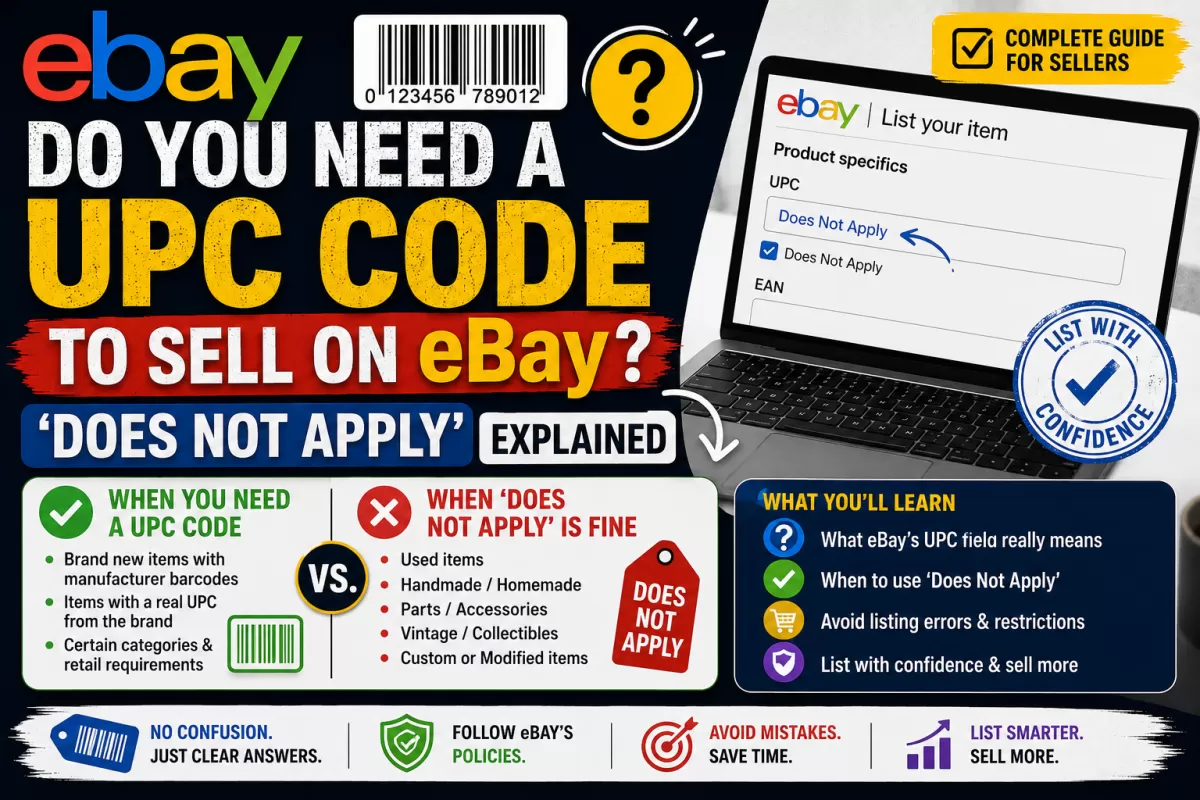
eBay lets you select "Does Not Apply" for the UPC field when an item genuinely has no manufacturer barcode — this covers vintage items, used goods, handmade products, and anything sold before UPCs were standard. If your product falls into one of these categories, selecting "Does Not Apply" is not a workaround, it's the accurate answer.
When You Actually Need a Real UPC
- New, branded items: if the product came in retail packaging with a barcode, eBay expects that barcode to be entered, not skipped.
- Private label or self-manufactured products: if you make the product yourself and sell it as new, you need your own GS1-registered UPC — you can't reuse someone else's.
- Categories where eBay enforces it: some categories (electronics, health & beauty, certain toys) increasingly require a valid UPC to publish the listing at all, and "Does Not Apply" gets rejected.
Why "Making Up" a UPC Causes Problems
A UPC isn't a random 12-digit number — it's built from a GS1-registered company prefix. Entering a fake or reused number can cause eBay's catalog matching to attach your listing to the wrong product, trigger listing errors, or in some cases lead to account-level issues if it looks like intentional catalog abuse. If your item needs a UPC and doesn't have one, buying one properly is faster and safer than guessing.
How to Get a Valid UPC for Your eBay Listing
- Buy a GS1-certified UPC or EAN — you'll get a real, unique 12 or 13-digit code, not a placeholder.
- Enter it exactly as provided in the UPC/EAN field on your listing.
- Use a separate barcode for each distinct variation (size, color) of the same product.
- Keep the barcode number saved for future relistings so you don't buy duplicates for the same product.
Frequently Asked Questions
Will I get flagged for using "Does Not Apply" on a new item?
In categories where eBay strictly enforces UPC entry, the listing may be rejected outright rather than flagged after the fact — it depends on the category.
Can I use the same UPC for different color variants?
No. Each unique variant needs its own UPC, the same rule that applies on Amazon and other major marketplaces.
Do vintage or used items ever need a UPC?
Generally no — "Does Not Apply" is the correct and expected answer for used, vintage, or handmade items without an original manufacturer barcode.
Is a UPC the same as an eBay item number?
No. Your eBay item number is generated automatically per listing. A UPC identifies the product itself and stays the same across every marketplace you sell on.
Ready to get your barcode? Buy GS1-certified barcodes here →