How to Print Barcode Labels for Your Products: Complete Guide
Once you have your barcode, the next step is printing it on your product labels. This guide covers everything you need to know about printing professional barcode labels.
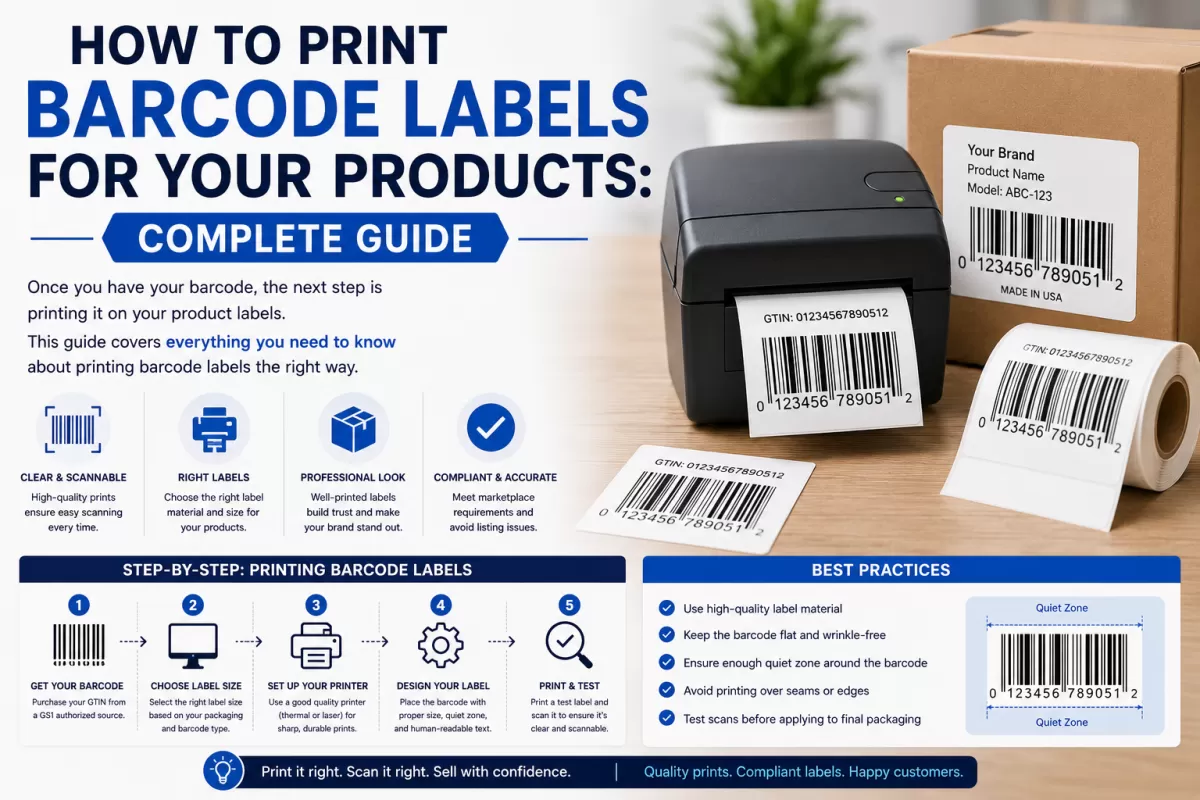
Once you have your barcode, the next step is printing it on your product labels. This guide covers everything you need to know about printing professional barcode labels.
What is a Barcode Label?
A barcode label is a sticker or printed label that displays your product's barcode, product name, price, and other relevant information. It is applied to the product packaging and scanned at checkout, warehouse, or during shipping.
What Information Should a Barcode Label Include?
Barcode Label Sizes and Standards
GS1 specifies minimum size requirements for barcodes to ensure they scan reliably. The key measurements are:
Going below minimum size risks the barcode not scanning correctly, especially at checkout scanners or warehouse readers.
Label Printing Options
Option 1: Download from gs1upc.shop and Print at Home
When you purchase a barcode from gs1upc.shop, you receive a high-resolution barcode image (PNG/SVG). You can insert this image into any label design software such as Microsoft Word, Canva, Adobe Illustrator, or a dedicated label maker app. Print on standard label paper using a laser or inkjet printer.
Option 2: Order Pre-Printed Labels from gs1upc.shop
gs1upc.shop offers a barcode label printing service. Simply purchase your barcode and add the label printing option at checkout. You will receive professionally printed barcode labels delivered to your door — ready to apply to your products.
Option 3: Use a Label Printer
If you print labels in high volumes, a dedicated thermal label printer (such as a Zebra, Brother, or Dymo printer) is the most efficient solution. These printers use heat instead of ink, making labels durable and waterproof. Connect the printer to your computer, use the included software, and import your barcode image to print in bulk.
Label Paper Types
Common Barcode Label Mistakes to Avoid
FAQ: Barcode Labels
Can I design my own barcode label?
Yes. As long as your barcode image meets GS1 size requirements and is printed at sufficient resolution, you can design the rest of the label as you wish.
What file format should I use for the barcode image?
For digital labels and high-quality printing, use the SVG or high-resolution PNG file provided with your barcode from gs1upc.shop.
Can I order ready-made barcode labels from gs1upc.shop?
Yes. Visit gs1upc.shop to see our label printing options. We print and ship professional barcode labels directly to you.
Buy your barcode and order printed labels at gs1upc.shop. Instant barcode delivery with optional professional label printing service.
Ready to get your barcode? Buy GS1-certified barcodes here →